Work order tracker for phone, tablet, and desktop
Keep every repair moving without losing the details.
FixFlow gives maintenance teams one calm place to capture requests, assign work, track parts, close tickets, and see what is still waiting.
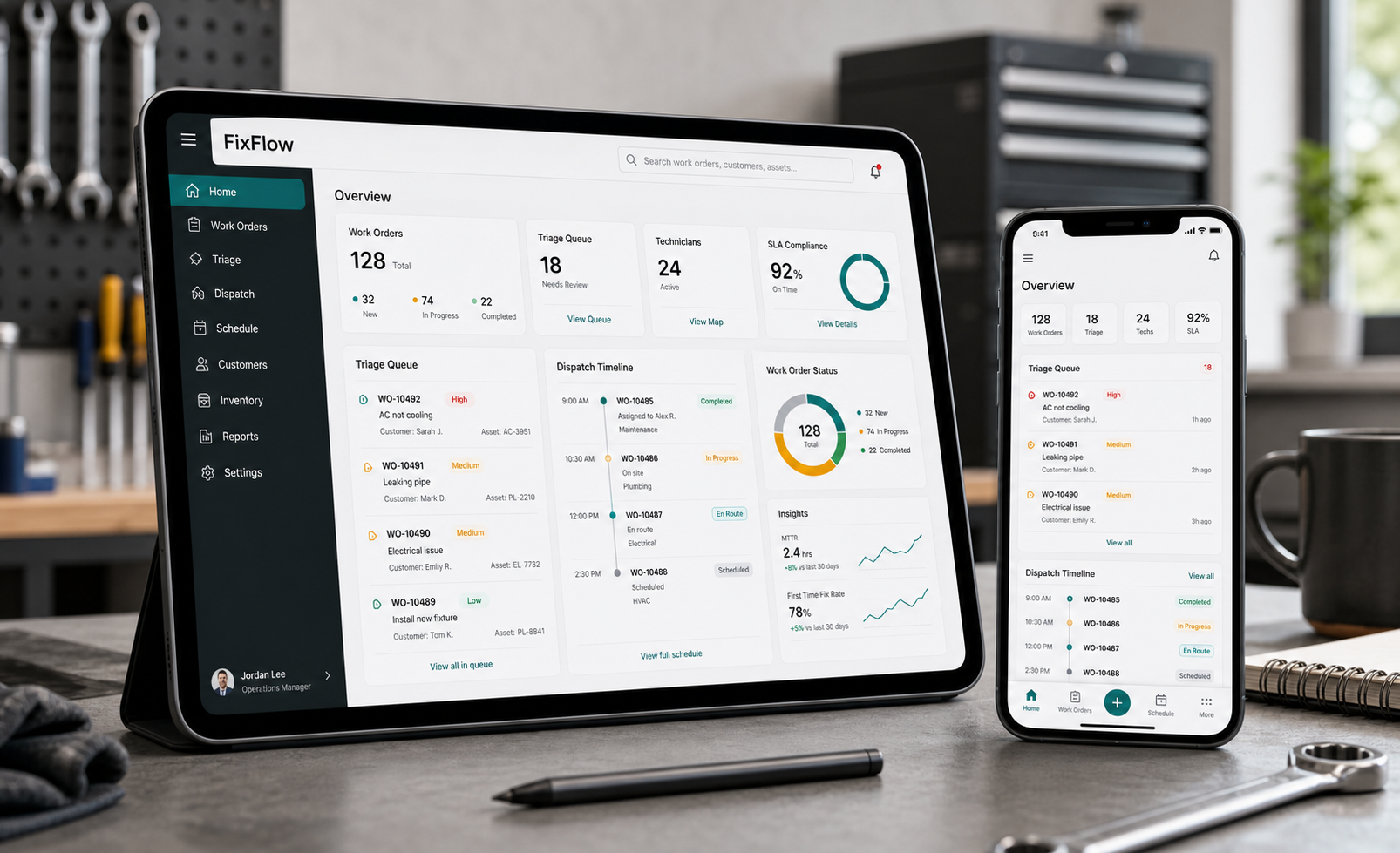
The platform
The app you have been building, presented clearly.
FixFlow is positioned as a practical field-ready tool, not a bloated operations suite. It focuses on the daily maintenance loop: capture, assign, update, complete, and review.
Create work orders fast
Log job title, requester, location, priority, due date, assignee, parts, labor hours, and cost from one focused form.
Separate active and complete
Keep open, in progress, waiting, and complete tickets organized so finished jobs do not bury urgent work.
Track job cost
Summaries for labor hours, parts count, and estimated costs help turn daily repairs into useful reporting.
Send assignment emails
Open a ready-to-send email from the ticket so the right person gets the job context quickly.
Search parts and clients
Make parts lookup and client-specific access part of the same workflow instead of a separate spreadsheet hunt.
Multi-tenant SaaS
Separate company workspaces keep each client, manager, and business owner in the right tenant with role-based controls.
Own the data
Import and export JSON for backups, migration, or simple sharing while the product keeps growing.
Workflow
A repair desk that behaves like the work actually does.
New request
Leaking valve in Bay 2
- Priority
- High
- Assignee
- Maintenance lead
- Parts
- Valve kit, seal tape
- Status
- Open
- Capture the issueRequests include the job details technicians need before they arrive.
- Assign and notifyPriority, due date, assignee, and email handoff stay tied to the ticket.
- Close with historyCompleted work remains searchable with totals and parts context intact.
Why it works
Small enough to use daily. Structured enough to trust.
Fast tap targets, clear status colors, and installable PWA behavior make it usable where the work happens.
Active workload, due-soon items, completed totals, and cost estimates make follow-up easier.
Client-aware views can show the right jobs without exposing everything behind the scenes.
Pricing
Simple pricing for maintenance teams that need control without enterprise bloat.
FixFlow is priced below large CMMS platforms while still covering work orders, completed history, parts, manager access, cloud sync, and installable app use.
For small teams that need a clean work-order tracker.
- Up to 5 users
- Active and completed tickets
- Basic parts dropdown
- Mobile, tablet, and desktop access
- Installable app experience
Best fit for most maintenance teams and property operators.
- Up to 15 users
- Cloud sync across devices
- Parts index with pricing and quantities
- Operations dashboard
- Manager access and ticket controls
- Email assignment prompt workflow
For companies that need admin control and multiple client views.
- Up to 35 users
- Admin and manager roles
- Client/company switching
- Access logs and demo mode
- Parts management by admins/managers
- Priority setup support
For larger teams that need special setup, policies, or hosting.
- Unlimited or custom user limits
- Multi-location configuration
- Custom admin permissions
- Deployment assistance
- Custom reporting requests
Cloud setup, company branding, demo data cleanup, app install guidance, and admin walkthrough.
Use after the included user limit on Starter, Pro, or Business plans.
New fields, reports, dashboard changes, workflow changes, and client-specific adjustments.
Get started
Bring FixFlow to your next repair queue.
This page is connected to the local FixFlow app build. Open the full app, or jump straight into the section you need.